Modus Books · v1.0 · Mac App Store
Finance and bookkeeping, the calm way.
Modus Books is the finance app in the family. Same idea as Modus: local-first, one-time purchase, built for the Mac. The job is different — track revenue, log expenses, run recurring invoices, handle tax, render a P&L, file an audit pack — but the shape is the same. Calm, honest, owned by you.
Free to download. 30-day full trial. One-time purchase to unlock.
Your books live on your Mac. Not in someone else's accounting cloud.
Bought once. Yours forever. Same as Modus.
Honest about the limits. We compute; you and your accountant file.
What it looks like.
Nine surfaces, one window. These are the shipping build — no mock-ups, no marketing renders.
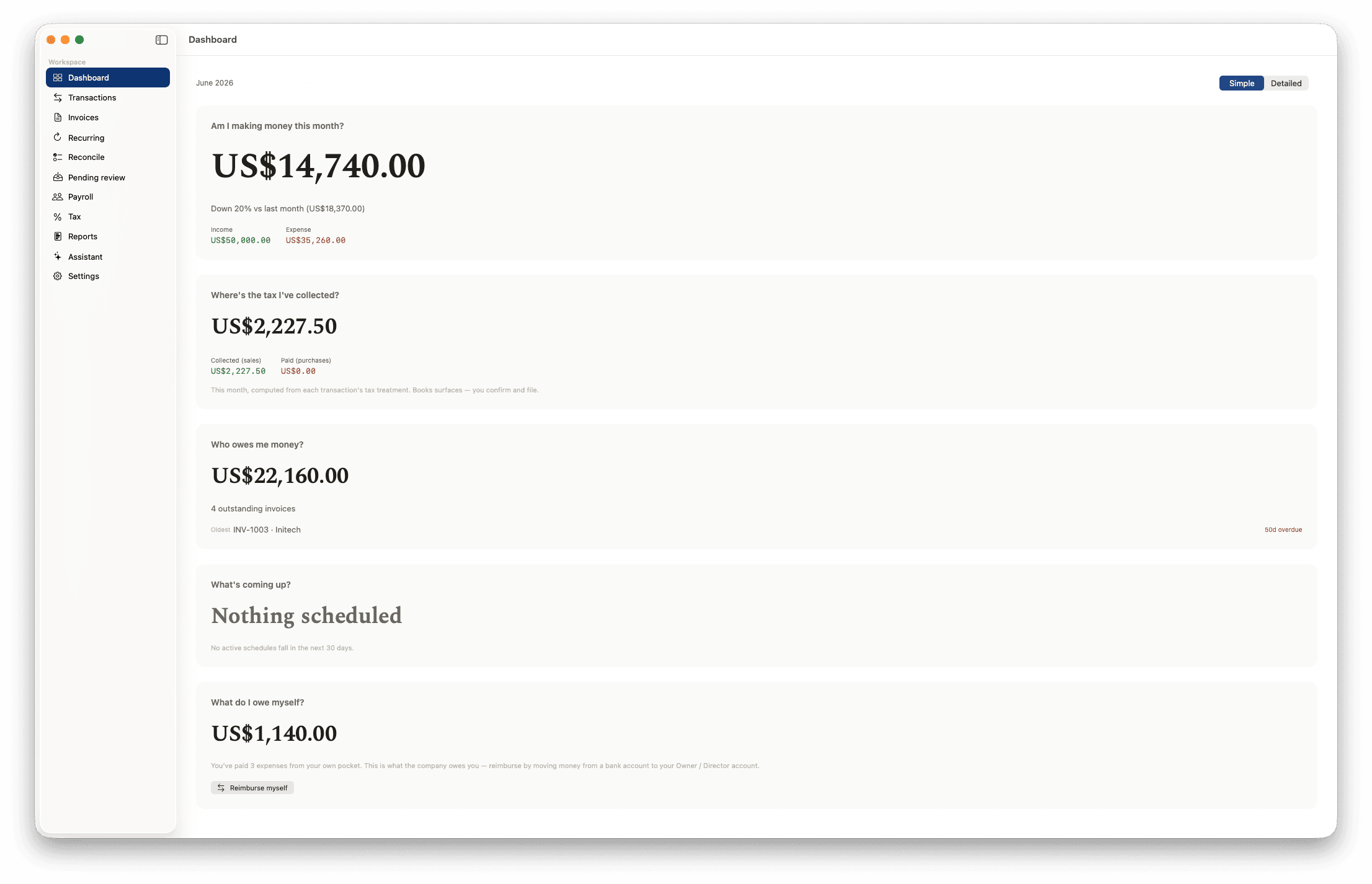
Dashboard
The four questions, answered the moment you open it.
Am I making money this month, who owes me money, what's coming up, and what have I set aside for tax — answered in plain figures, not a wall of charts. Flip to Detailed when you want the trend lines.
Transactions
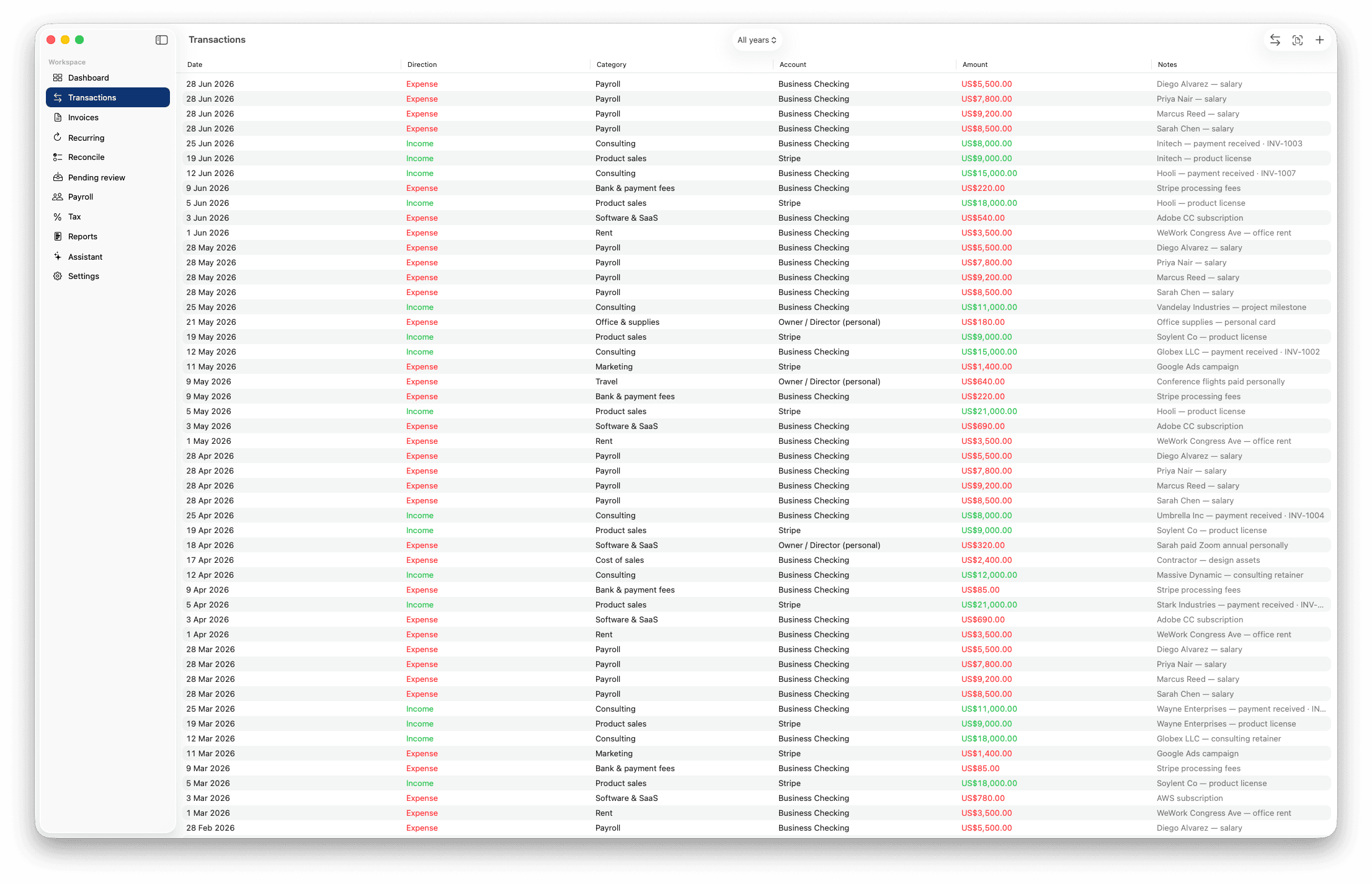
Every entry in one fast ledger.
Income and expenses in a single list — date, category, account, amount, note — colour-coded by direction and filterable by year. Right-click to recategorise, move accounts, tag tax, or mark something you paid from your own pocket.
Invoices
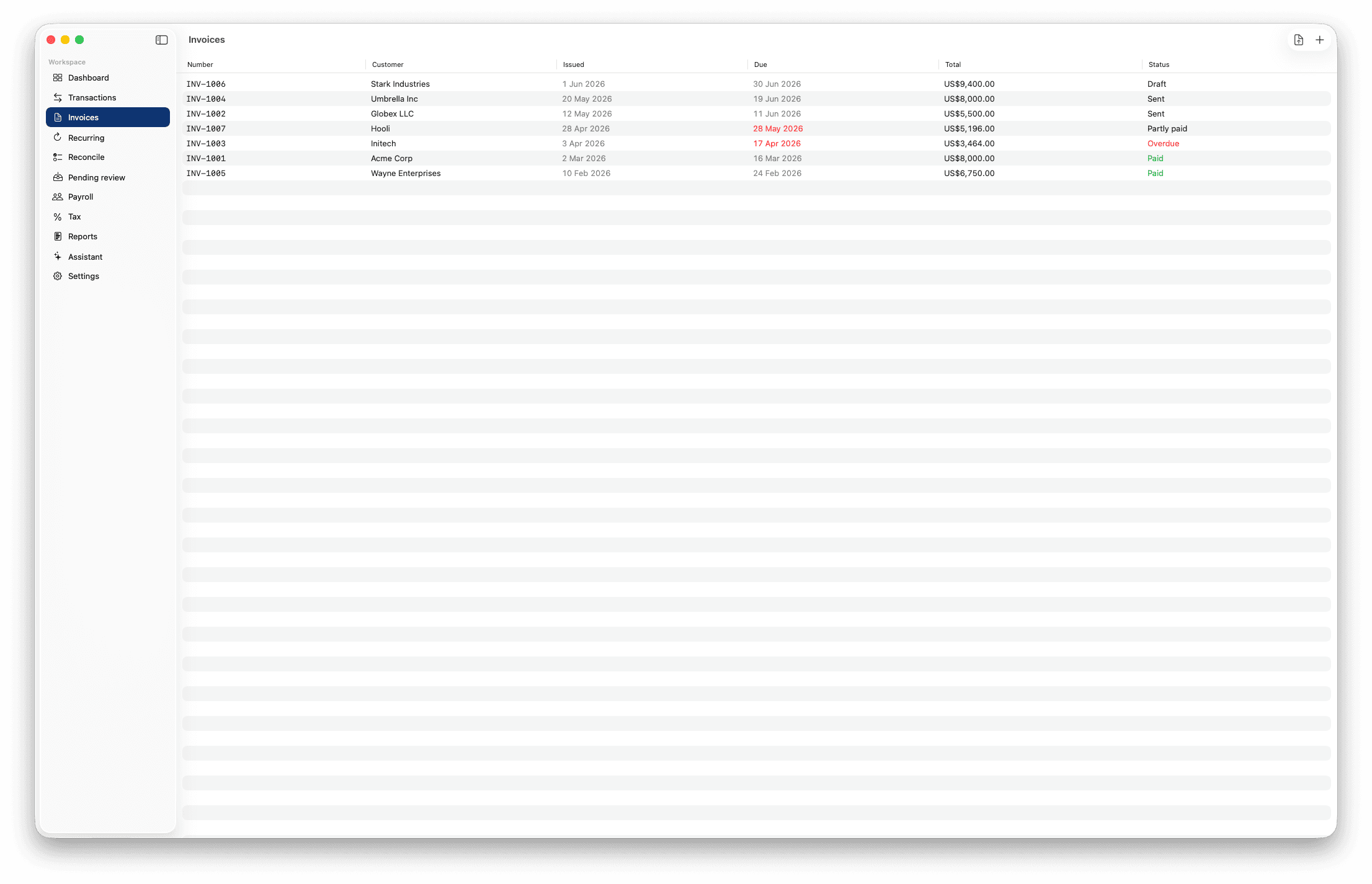
Draft → Sent → Paid, readable at a glance.
Every invoice carries its state — Draft, Sent, Partly paid, Overdue, Paid — so the list tells you where the money is. Mark one paid and Books posts the matching income, linked straight back to the invoice.
Branded invoices
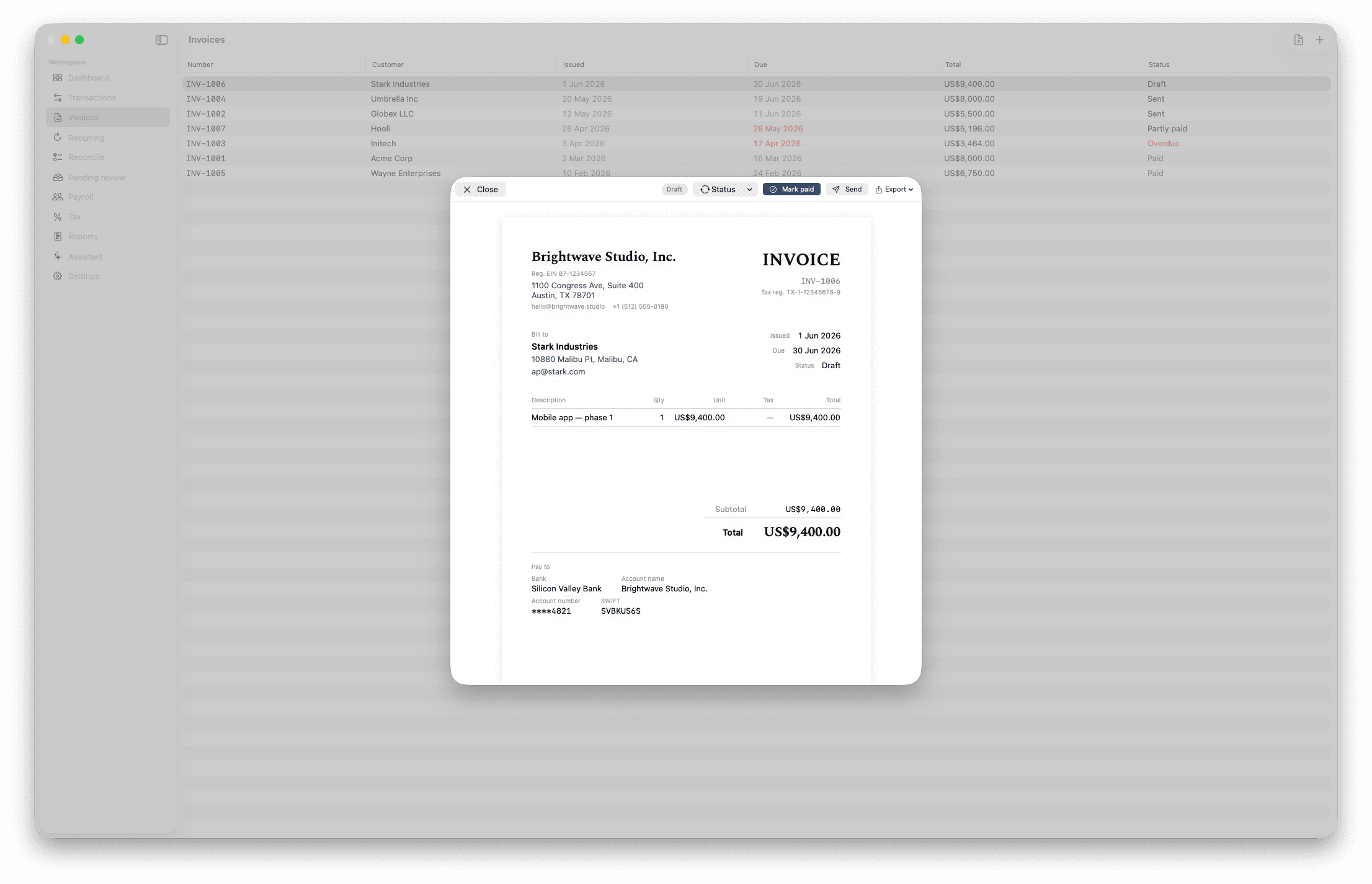
A clean PDF your clients can pay from.
Your company header, bank details, line items, and totals — rendered as a tidy PDF you can export or email. The invoice you authored shows its payment status back in the ledger automatically.
Reports
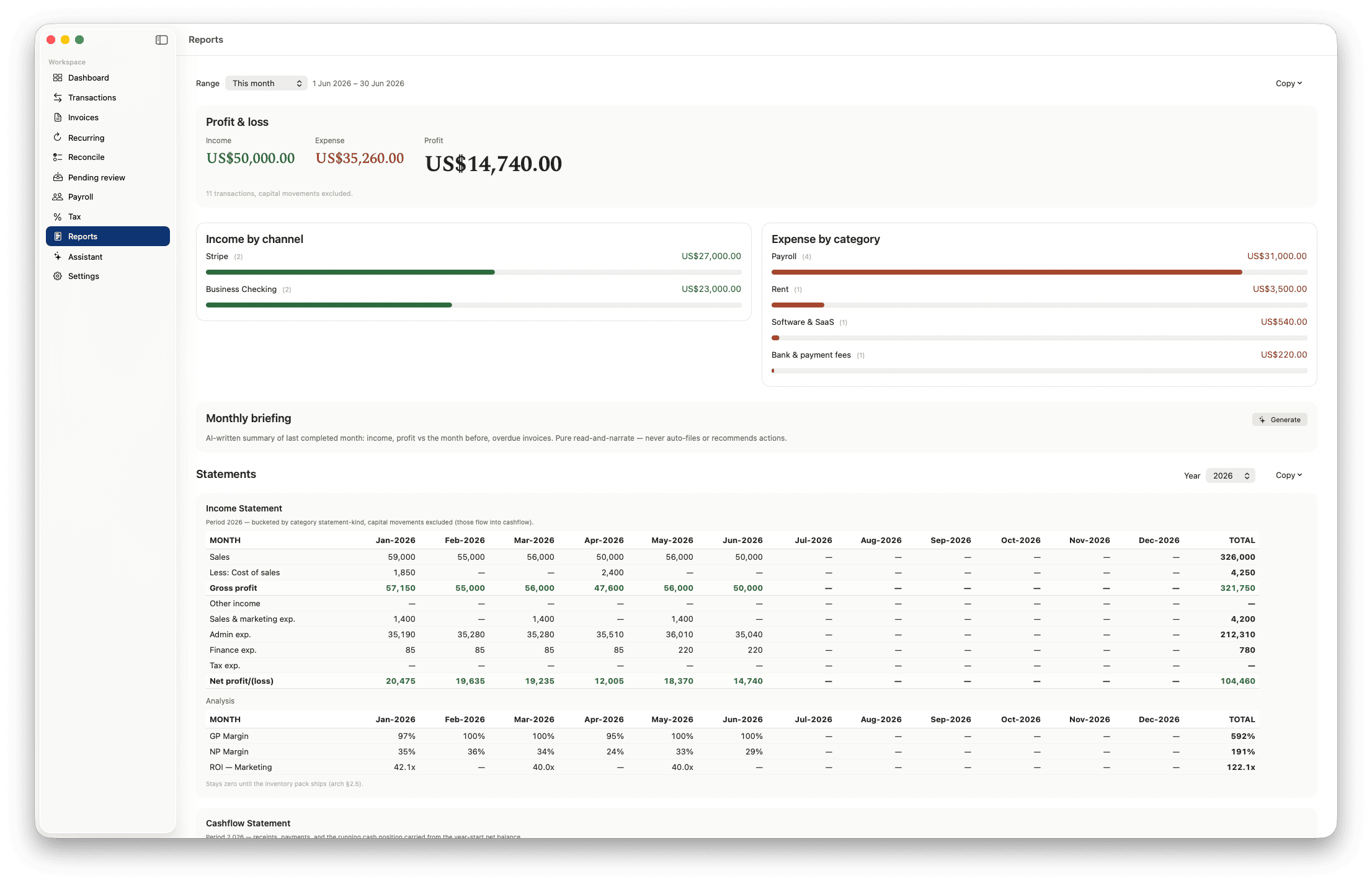
Profit, income by channel, statements that export.
A period P&L up top — income, expense, profit — then income by channel, expense by category, and full income and cash-flow statements month by month. Transfers never inflate the totals. Export to CSV or hand the lot to your accountant.
Tax
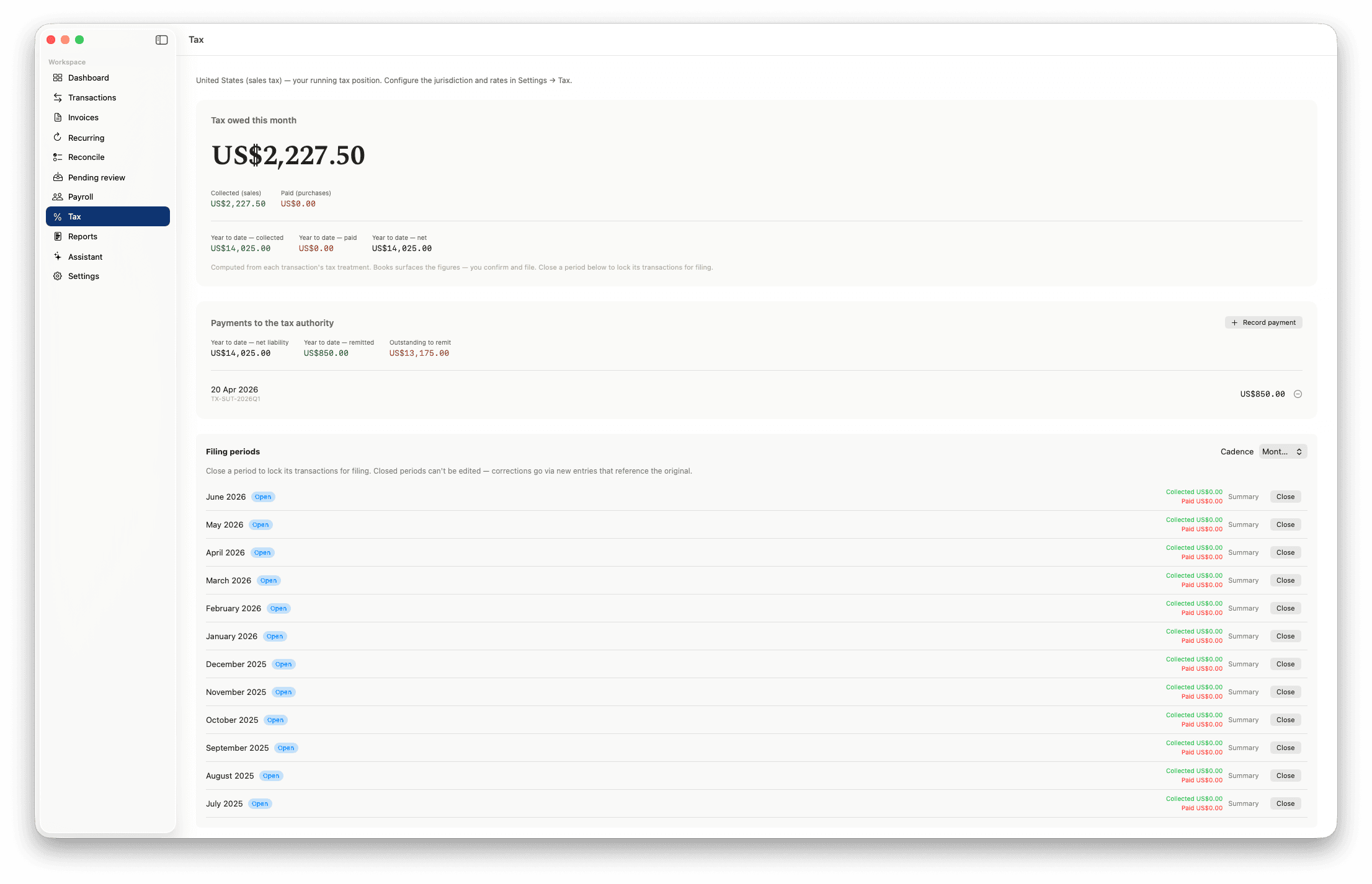
Your running tax position, period by period.
See what you've collected versus remitted for the active tax pack, record payments to the authority, and work down a list of filing periods you close once filed. Books computes and tracks; you and your accountant file.
Payroll
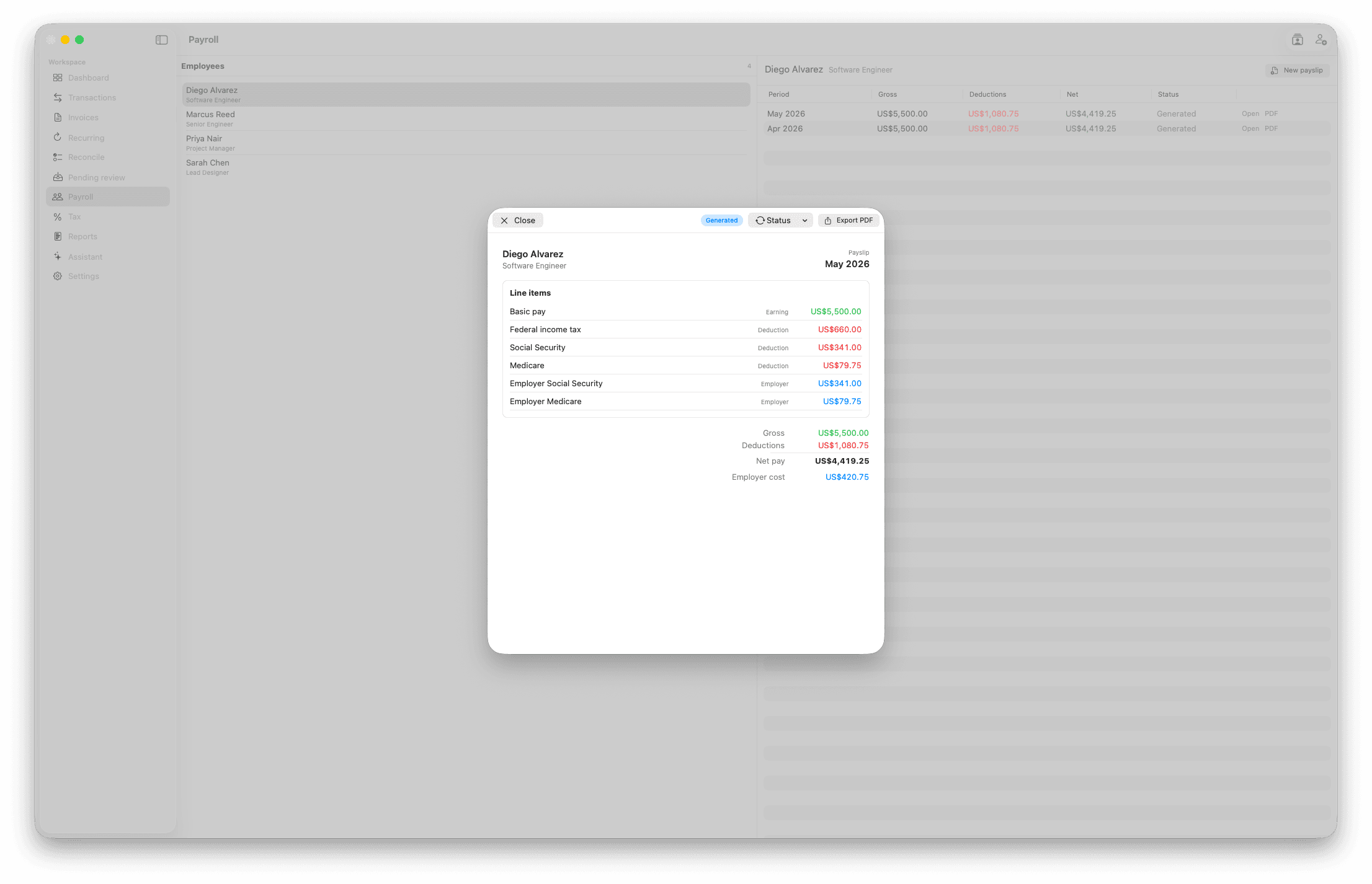
Branded payslips, filed straight to the audit pack.
Pick an employee, set the figures — hourly, daily, or fixed, with a breakdown — and render a payslip PDF. It records what you enter; no statutory math is claimed. Every payslip lands in the year's audit pack.
Audit pack
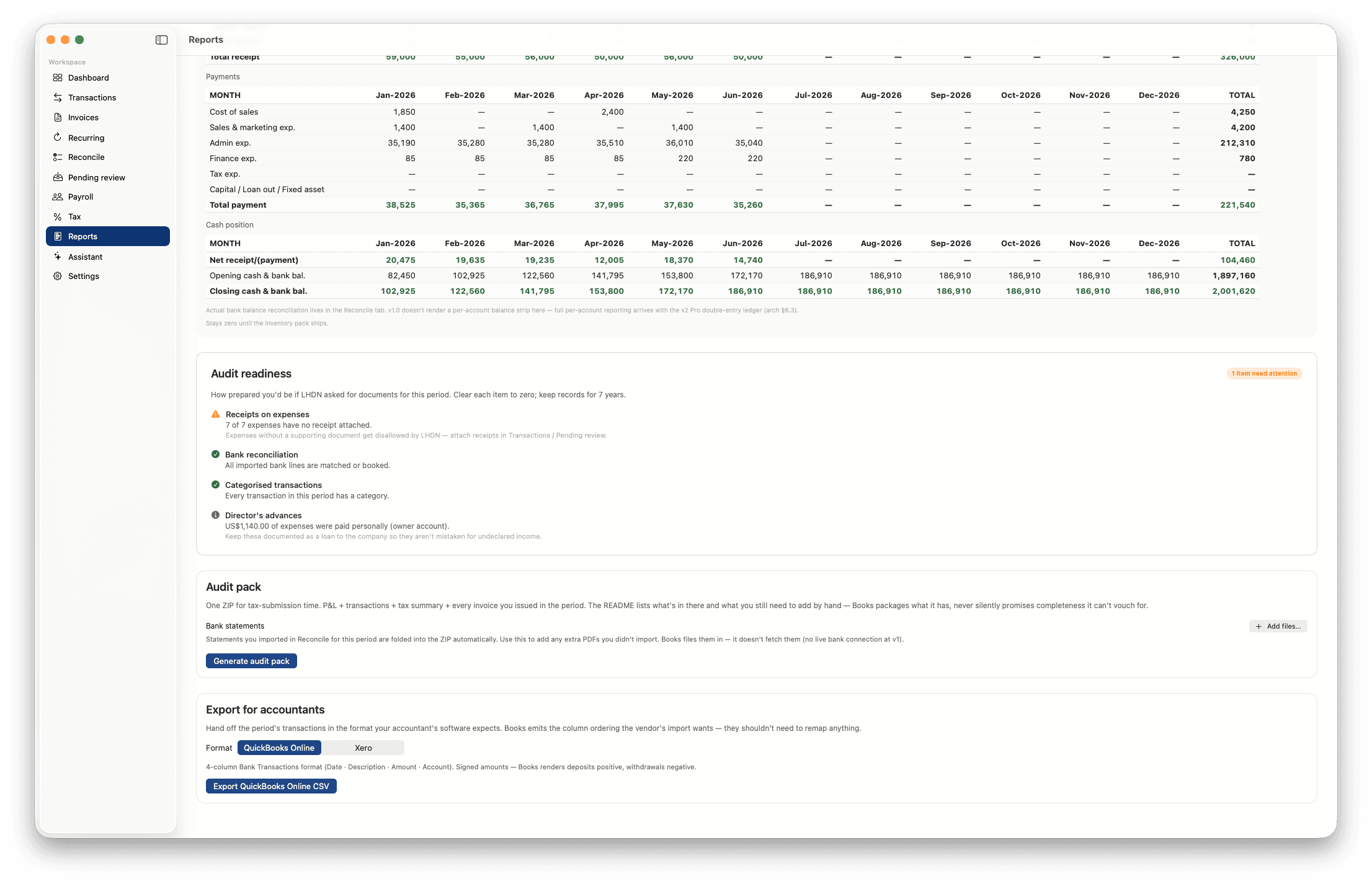
One ZIP a year, every figure tied to its source.
An audit-readiness checklist scores receipts, reconciliation, categorisation, and director's advances. Generate a single audit pack — P&L, transactions, tax summaries, every invoice, receipt, and payslip — or export straight to a QuickBooks-ready CSV.
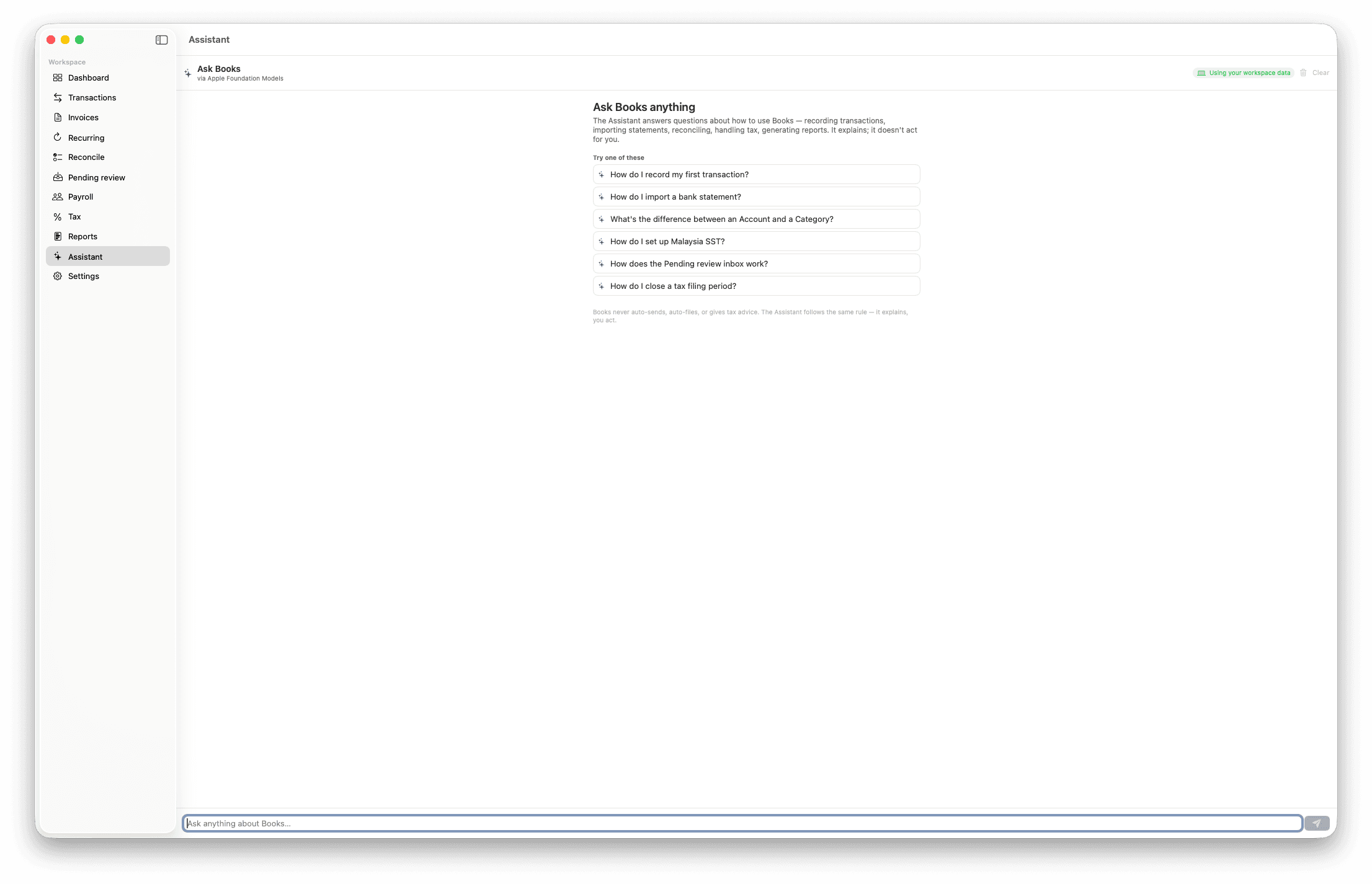
Assistant
Ask Books anything — on-device.
A built-in assistant answers how-to questions about your own workspace — recording a transaction, importing a statement, closing a tax period — on Apple's on-device Foundation Models. It explains; it doesn't act for you, auto-send, or give tax advice.
What it does.
Everything in v1.0 today. Heavier items — live bank feeds, automated dunning, the statutory payroll engine — land in later updates, now that v1.0 is in real-world use.
Income recording
Pull Stripe payouts and matching charges with your own read-only key. Import bank or marketplace CSVs through a user-mappable column picker. Type entries by hand when nothing else applies. The three tiers cover every income channel a solo operator runs.
Expense tracking
Continuity Camera receipt capture with on-device OCR for vendor, amount, date, and tax. Categorise, mark business vs personal, and link to vendor records. Contractor payments handled as expenses with a rate × quantity helper — no statutory payroll baggage.
Recurring billing
Define a recurring schedule, generate branded invoices on cadence, drop a Stripe payment link. When Modus and Modus Books both run on the same Mac, you pick which app fires each schedule — only one generator per schedule, ever, by design.
Tax handling
The Tax Pack engine ships region-neutral; v1.0 includes Malaysia (SST + MyInvois-ready export), Singapore (GST), the United Kingdom (VAT), United States (sales tax), and a generic VAT pack for the long-tail. More regions arrive as data packs without core releases.
P&L and dashboard
The dashboard answers four questions — am I making money this month, who owes me money, what's coming up, where's the tax I've collected. Not a metric wall. Per-period P&L, income by channel, expense by category, cash flow — all exportable.
Bank reconciliation
CSV and PDF statement import with user-mappable layouts, on-device match suggestions, a balance-delta safeguard, and closed-period protection so you can't accidentally edit a filed period. Manual is the universal floor; live feeds land in v1.x.
Payslip generator
Pick an employee, fill the variable figures — hourly, daily, or fixed — render a branded payslip, file it into the audit pack. Records what you enter; no statutory math, no liability. The computation engine (EPF/SOCSO/EIS/PCB and equivalents) is a later add-on.
Audit pack
One ZIP per fiscal year. P&L, transactions ledger, tax summaries, every invoice, every receipt, every payslip, bank statements. An audit-readiness checklist scores what's missing. Completeness as a checklist, not a blind promise.
The same family, a different job.
Modus is a CRM. Modus Books is finance and bookkeeping. Different jobs, same conventions — same keyboard, same design language, same data ownership posture.
When you run both on the same Mac, they share the customer record (one source of truth, no duplicates), the company profile, the invoice you authored in Modus shows up in Modus Books with its payment status, and recurring schedules are co-owned with a single-generator guarantee so the same client never gets double-billed.
When you only run Modus Books, it's standalone — its own customer records, its own quote and invoice authoring, its own everything. A buyer who never touches Modus is a first-class citizen.
We're explicit about what Books doesn't do. No double- entry bookkeeping in v1 (that lands properly as a v2 Pro tier, not a half-built simplified version). No tax filing on your behalf — we produce export-ready summaries, your accountant files. No holding client funds. No GAAP/IFRS certification. The line between “compute and surface” and “advise and decide” stays on the user's side.
One price. One purchase.
Books is free to try for 30 days — every feature, no card, no countdown gimmicks. When the trial ends it stays readable and your data exportable; a single in-app purchase through the Mac App Store unlocks new entries again. Yours from then on, including paid major upgrades.
Modus Books Solo
$149.99
one-time, via App Store
- Single user
- Syncs across your Macs via iCloud
- All v1 features, paid major upgrades
- 30-day free trial — no credit card