Modus Studio · v1.0 · Mac App Store
A CRM that fits how you actually work.
Your contacts, deals, and invoices live in one Mac-native window — and never leave your Mac. Studio is the local-first CRM in the Modus family: pipeline, quotes, invoices, reports, and an on-device assistant. Fast, yours to keep, built to be lived in for years.
Free to download. 30-day full trial. One-time purchase to unlock.
Your data lives on your Mac. Not on someone else's server.
Bought once. Yours forever. No seat math.
Designed for one person doing the work of three.
What it looks like.
Six surfaces, one window. The screenshots are the current build — no mock-ups, no marketing renders.
Pipeline
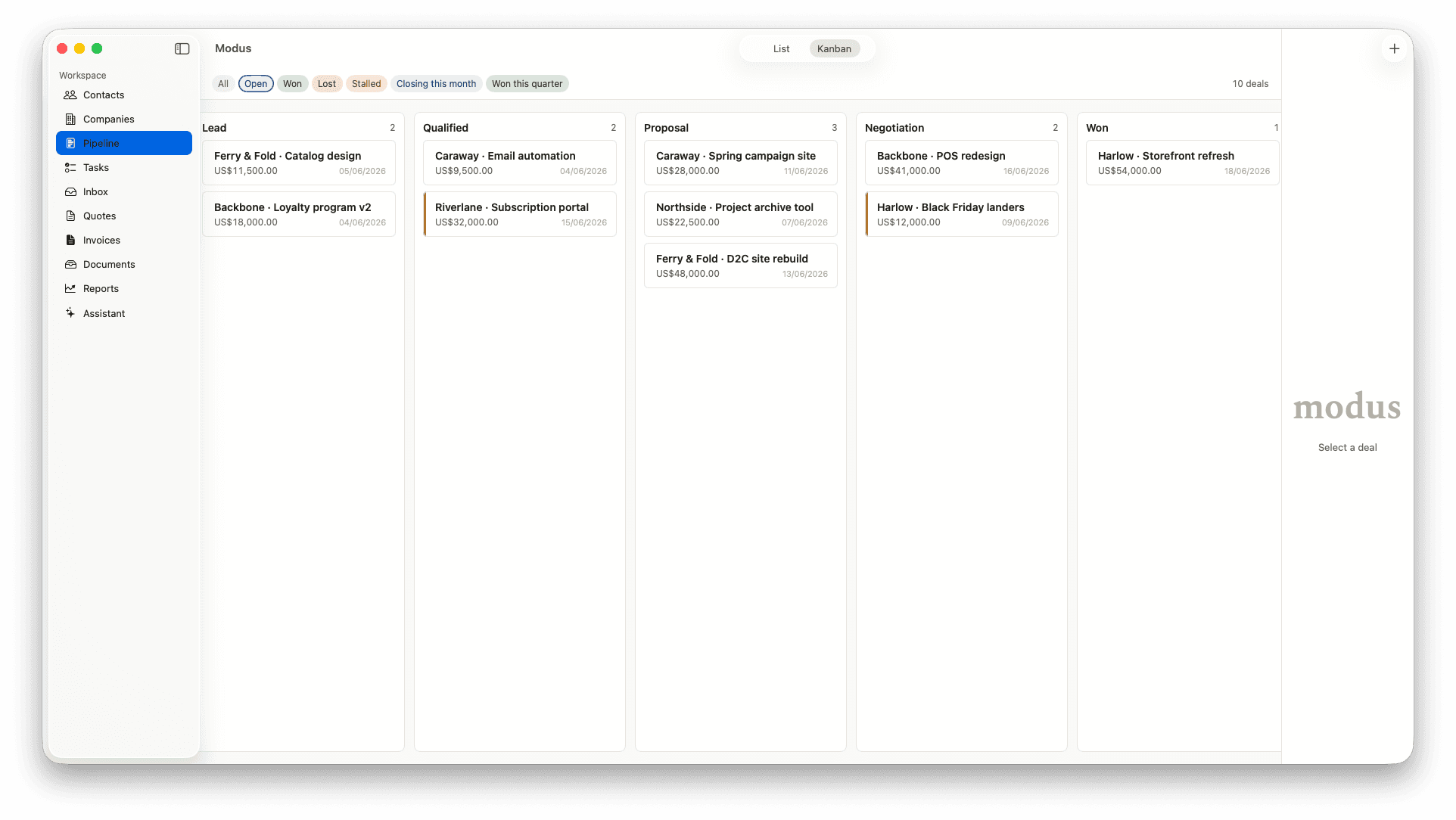
Deals move sideways, not through a wizard.
Kanban or list, your call. Filter chips for Open, Won, Lost, Stalled, Closing this month, Won this quarter. Drag a card between stages to advance a deal — no five-step modal, no required fields you don't care about.
Deal detail
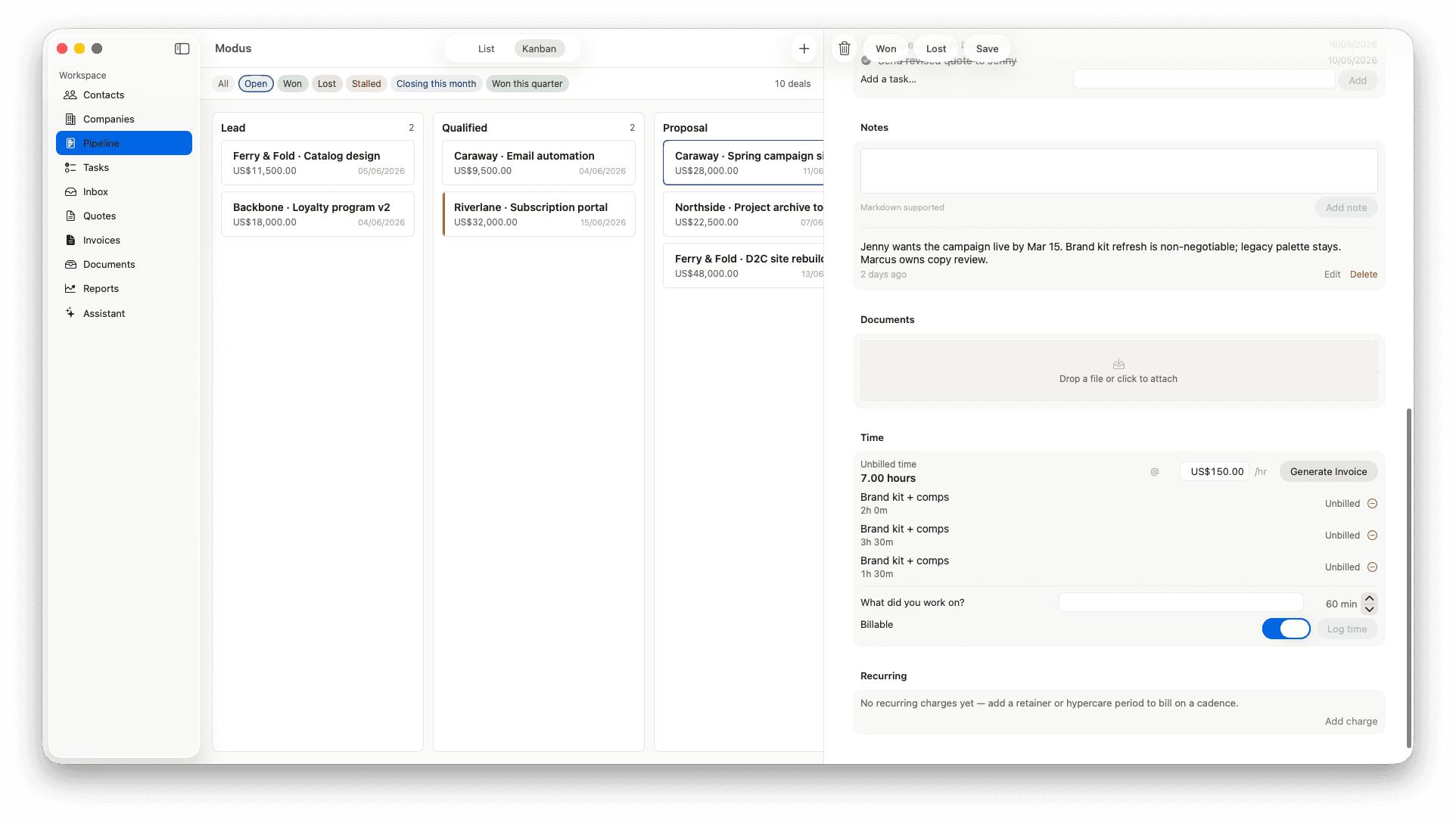
Notes, time, documents, recurring — one window.
Open any deal and the panel on the right holds your notes, your attached documents, a running time tracker that logs to a billable rate, and the recurring billing schedule for that engagement. The whole client relationship in one scroll.
Quotes
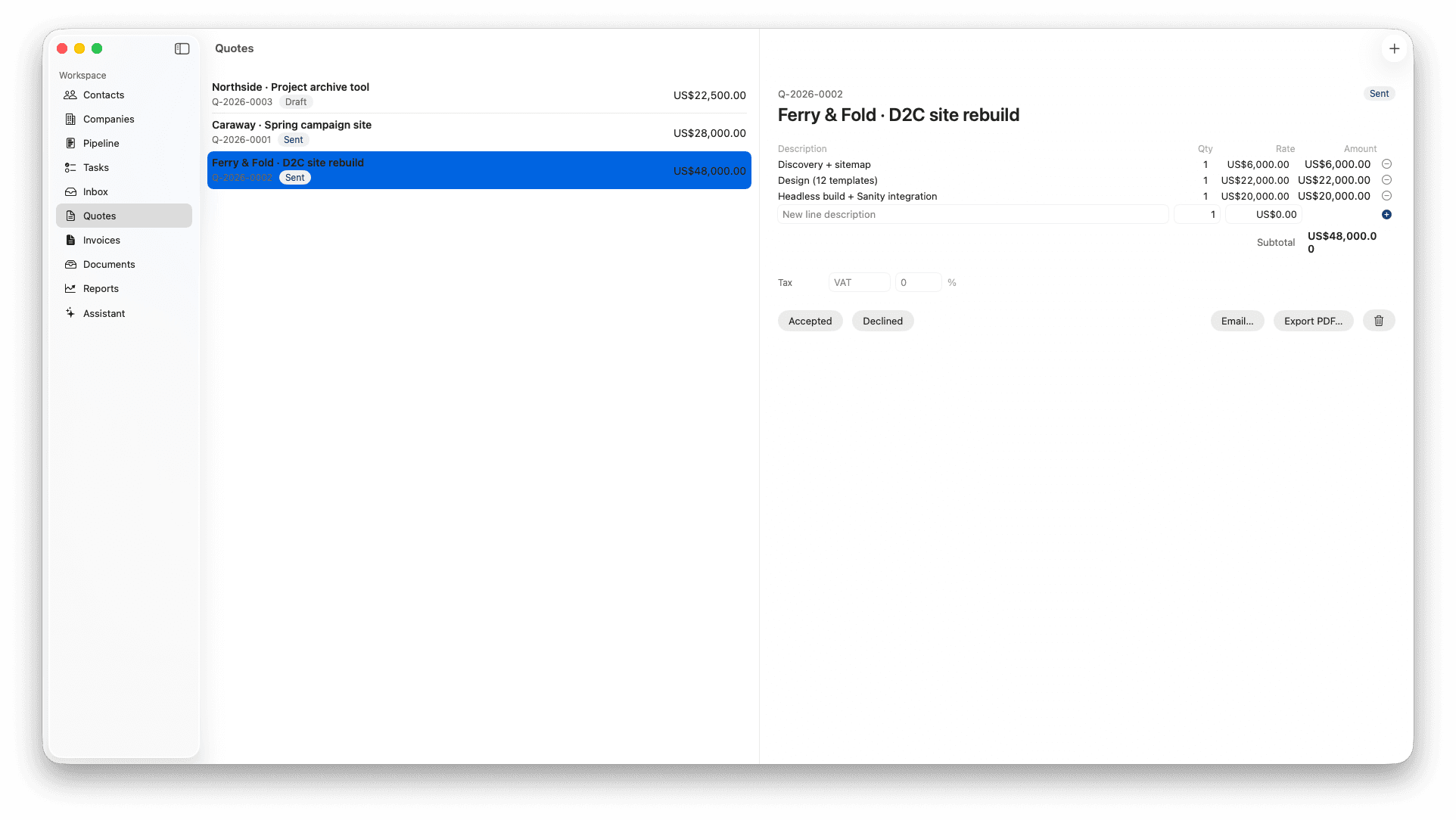
Write a quote in a minute. Send it as a branded PDF.
Line items with quantity and rate, a tax row, subtotal that updates as you type. Mark a quote Sent, Accepted, or Declined and the pipeline stage moves with it. Email it from inside the app or export the PDF and send it your way.
Invoices
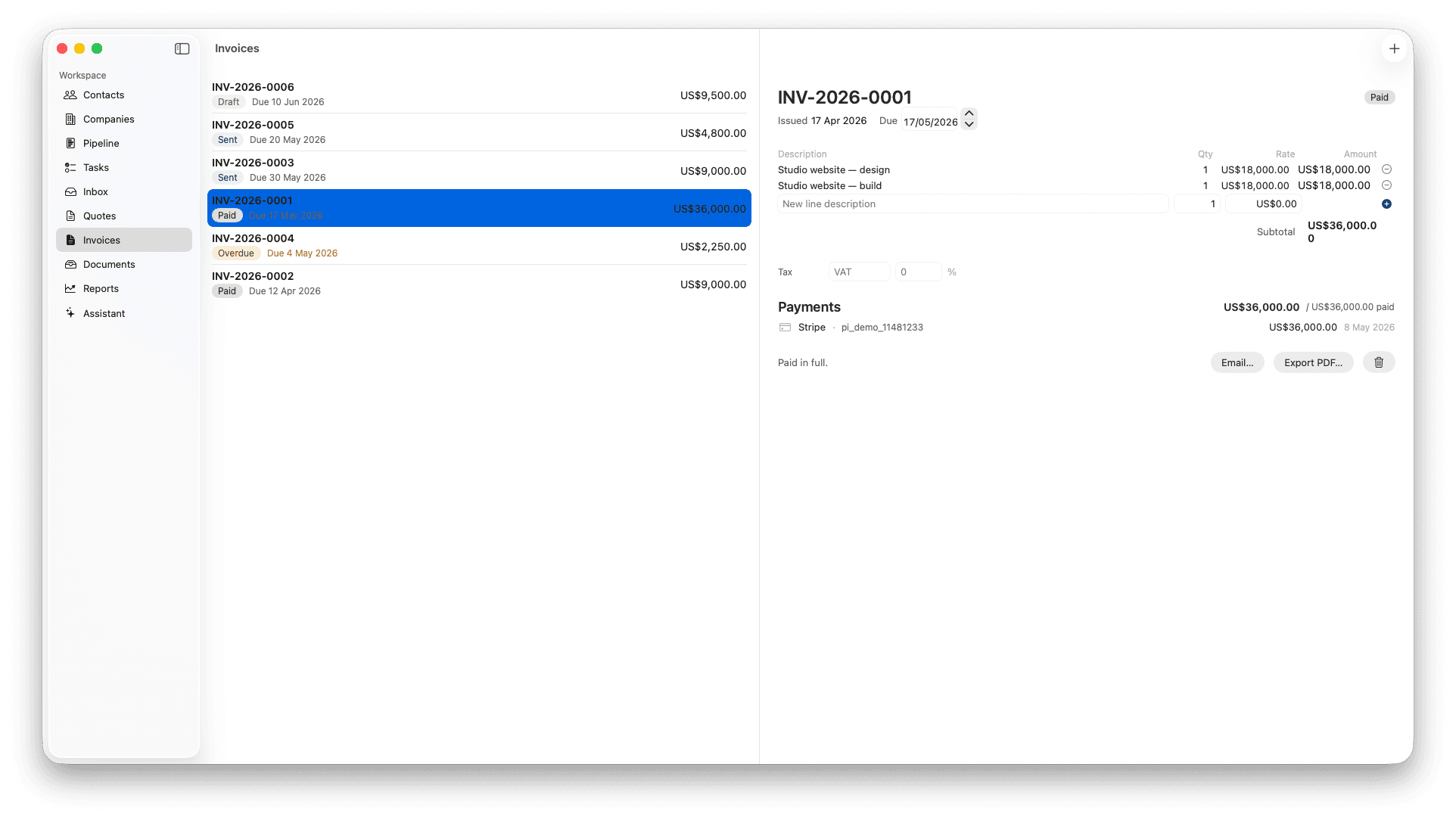
Draft → Sent → Paid, with the receipt attached.
Every invoice carries its lifecycle state — Draft, Sent, Paid, Overdue — so the list reads at a glance. When a Stripe payment lands, it's reconciled against the invoice and the receipt is attached. Email, export, or both.
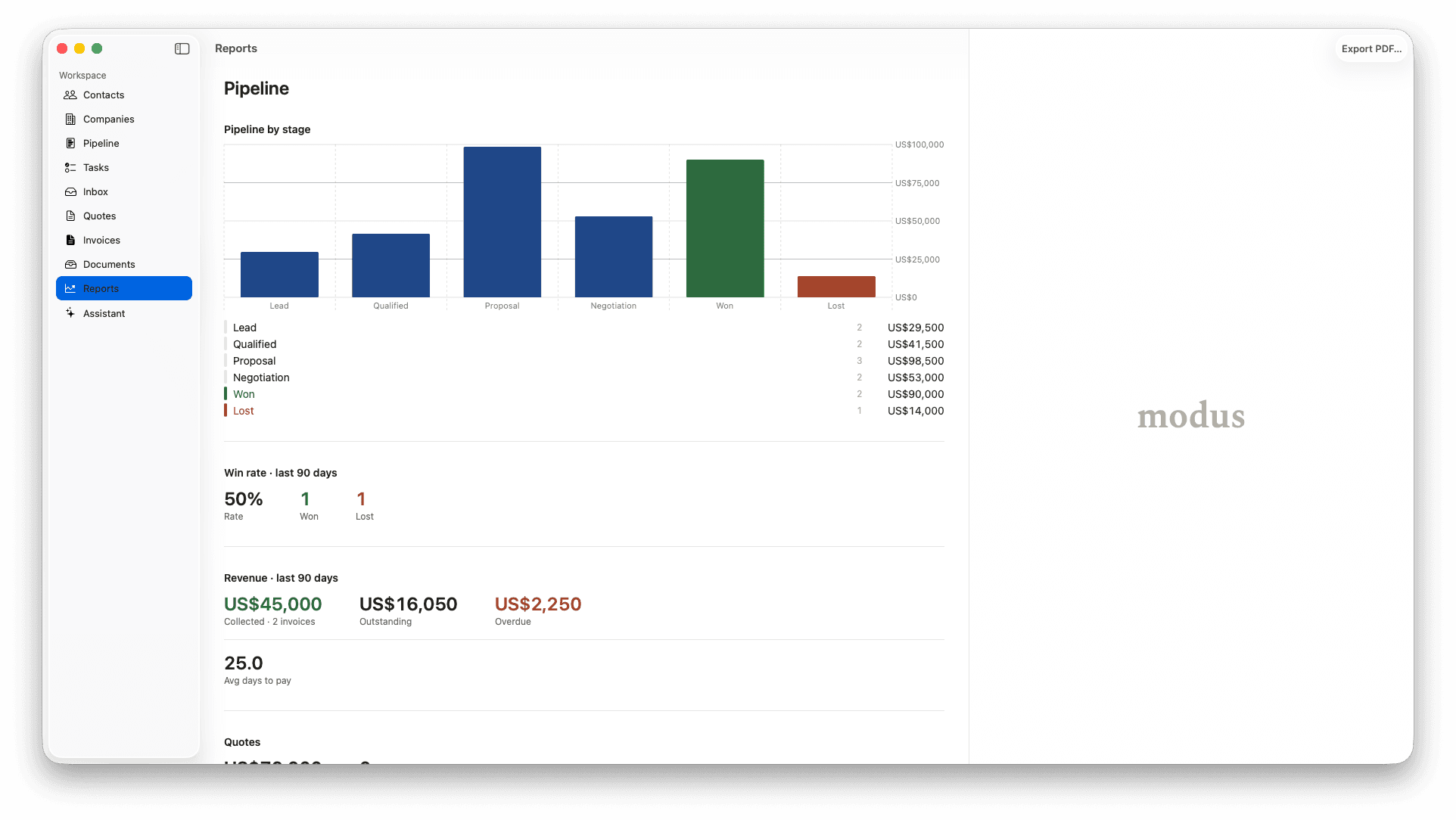
Reports
The numbers that tell you what to do next week.
Pipeline value by stage. Win rate over the last 90 days. Revenue collected, outstanding, overdue. Average days to pay. Not a dashboard wall — the four or five numbers a one-person operation actually steers by, ready to export as PDF.
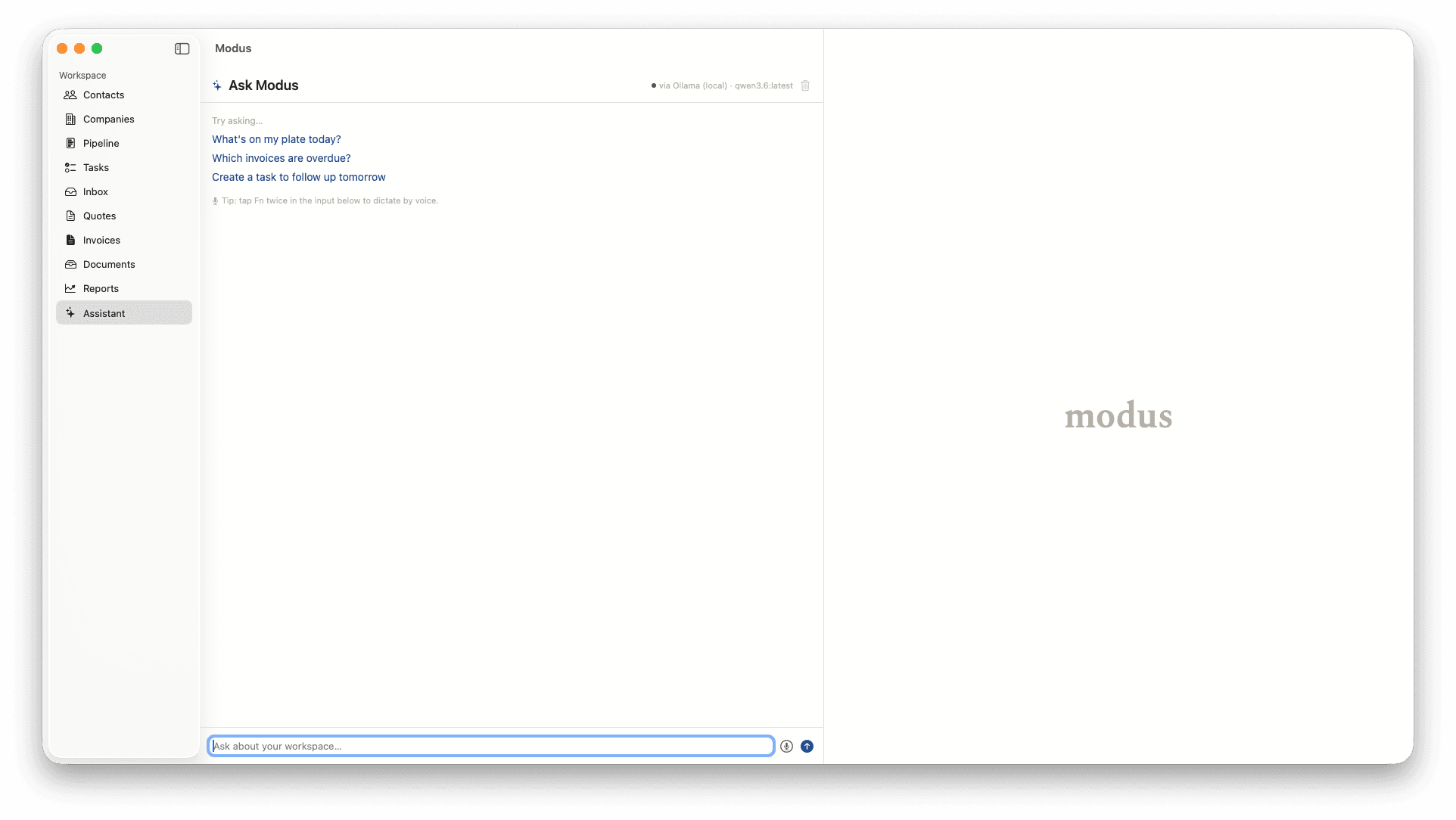
Assistant
An assistant that reads your week, not your wallet.
Ask Modus runs against your local Ollama model by default — your contacts, deals, and invoices never leave your Mac. Starter prompts for the everyday questions: what's on my plate, who's overdue, what should I do today. Voice dictation via the system, never a cloud round-trip.
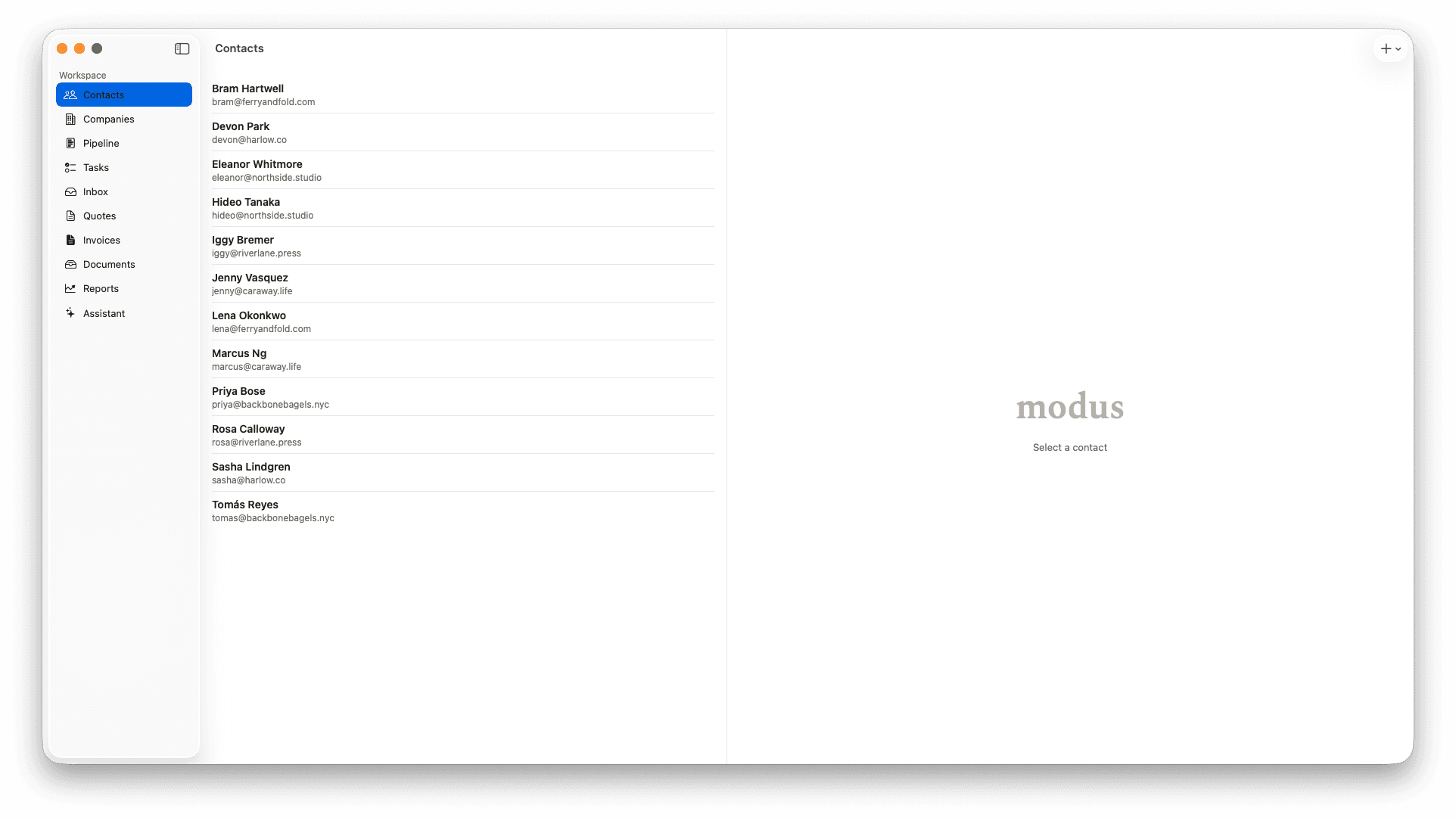
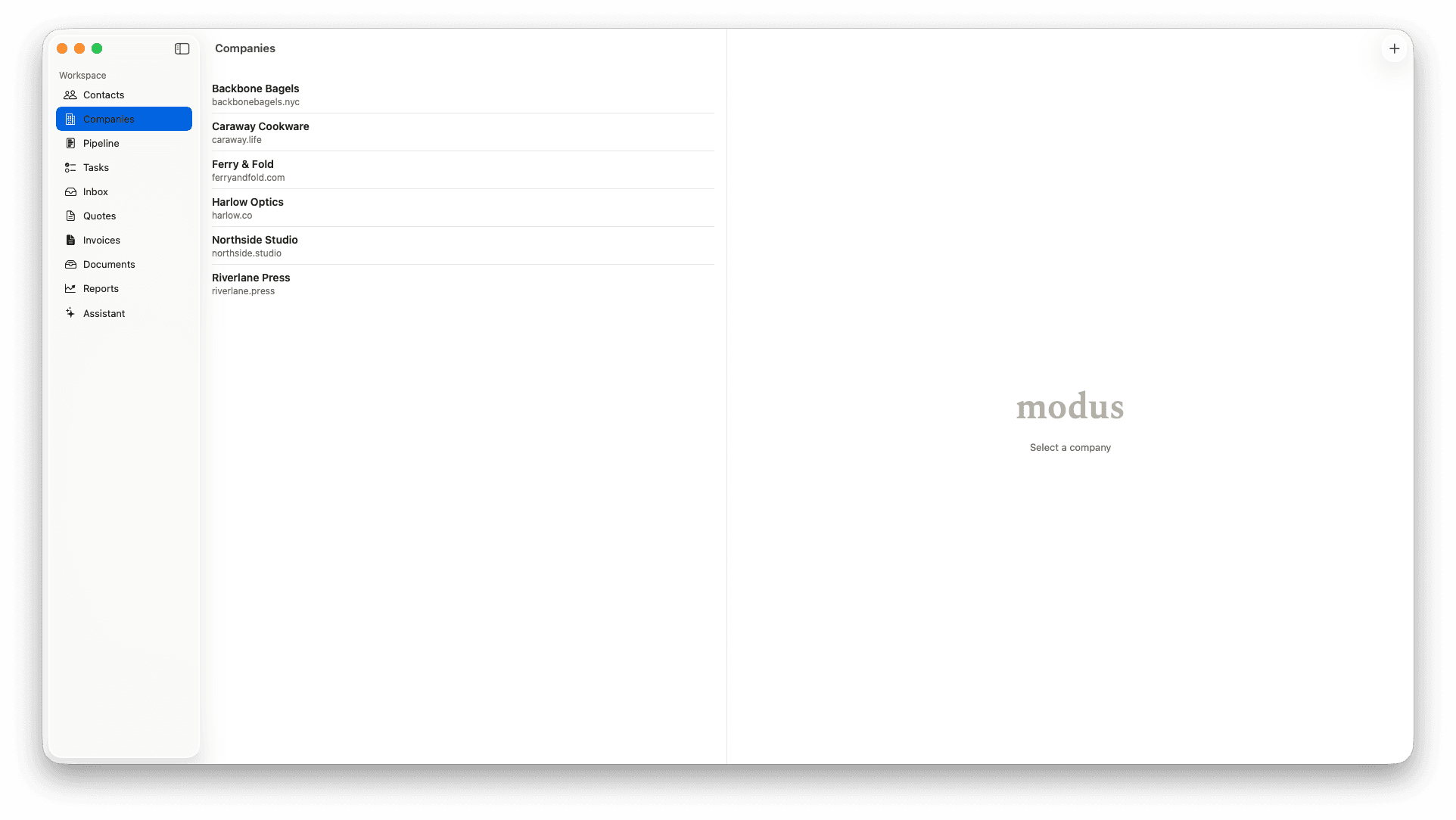
Records
People and companies, kept simple.
Contacts and Companies are first-class records, not a CRM-shaped spreadsheet. Light by default, deep when you click in. Both link to deals, quotes, and invoices automatically.
Built like an old, well-made tool.
Studio is native SwiftUI — Command-K, Quick Look on every record, Spotlight integration. The keyboard does what you expect because the app speaks Mac.
Local-first means SQLite on disk. Search and edits never wait on a network. Sync across your own Macs via iCloud when you turn it on — no third-party servers in the loop, ever.
Yours to keep. Export anything as CSV, PDF, or vCard. Even if Modus disappears, your data is on your Mac. We mean it: there's no “export” toggle to fight for.
One price. One purchase.
Studio is free to try for 30 days — every feature, no card, no countdown gimmicks. When you're ready, unlock the full app with a single in-app purchase through the Mac App Store. Yours from then on, including paid major upgrades.
Modus Studio Solo
$129.99
one-time, via App Store
- Single user
- Syncs across your Macs via iCloud
- All v1 features, paid major upgrades
- 30-day free trial — no credit card